
How it works
A team of AI agents, each with one job
Stormi is an iPhone app for AI agents that do real work. You give each bot a name, one job, and a model; it signs in to your tools, finishes the work on our server, and asks before anything goes out.
- 01
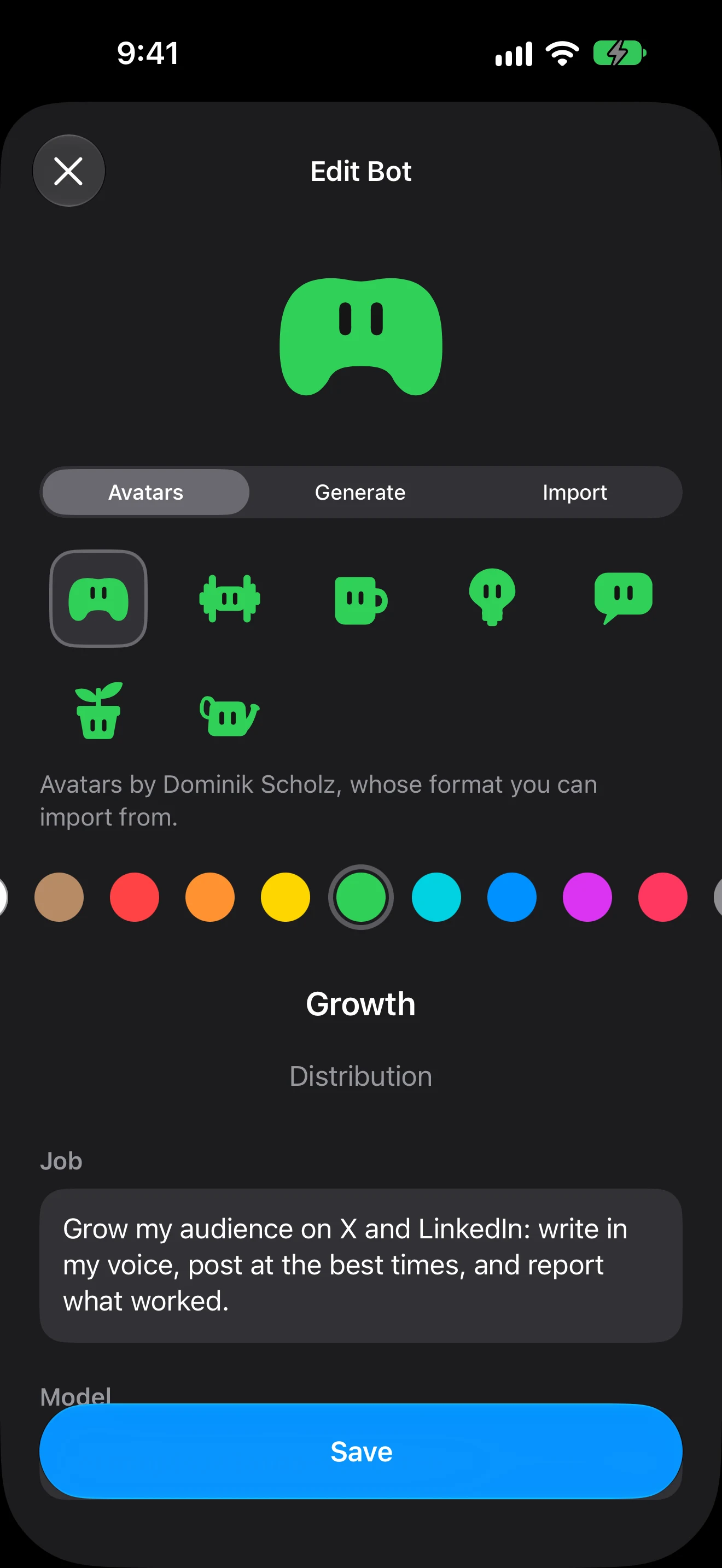
Name a bot and give it one job
Start from Chief of Staff, EA, Inbox Manager, Sales Outbound, Talent Scout, or Researcher, add one from the marketplace, or describe your own. One narrow job works best: “triage my inbox” beats “help with email.”
- 02
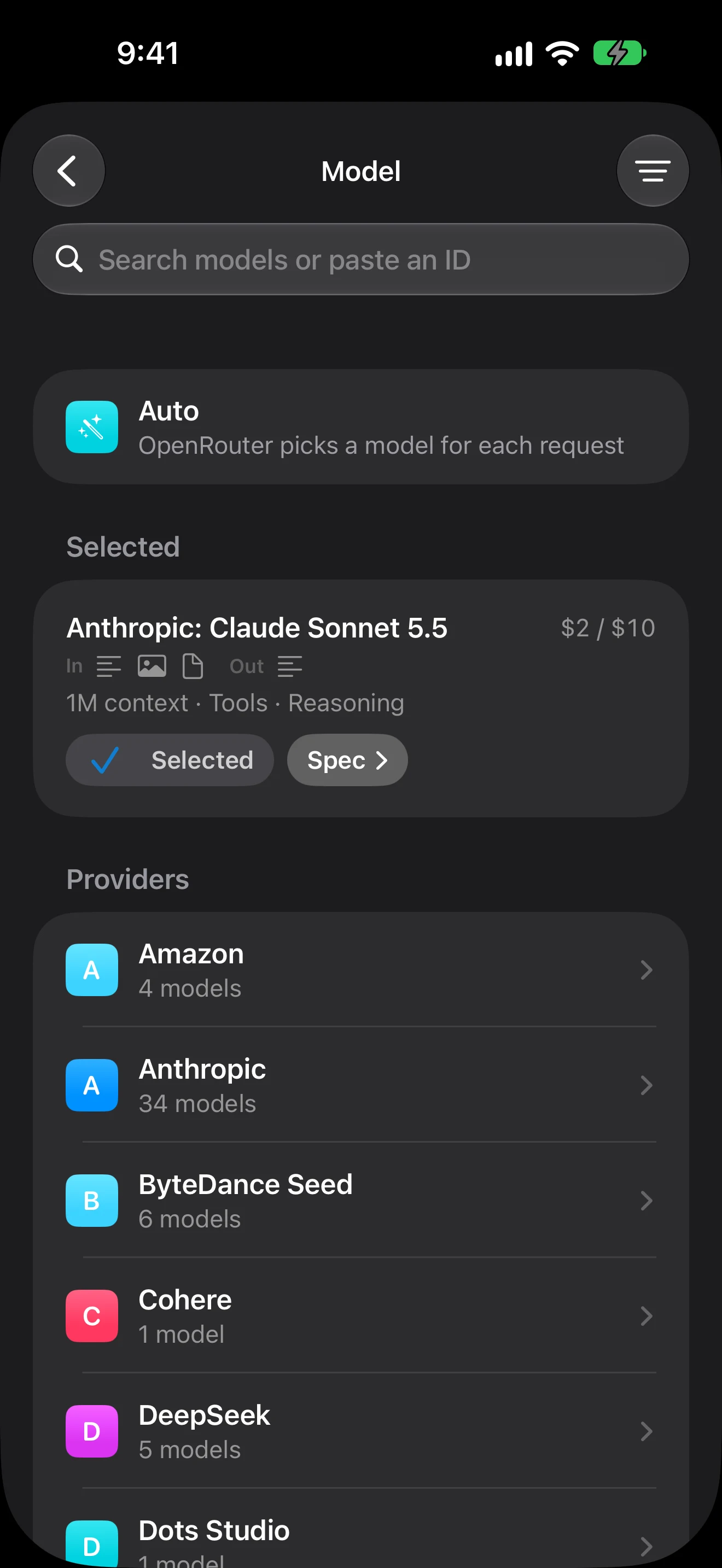
Pick its model
Each bot runs on the AI model you choose from OpenRouter: Anthropic, OpenAI, Google, xAI, DeepSeek, and many more. Or let OpenRouter pick per request. Fast, cheap models for triage; strong reasoning models for research and code.
- 03
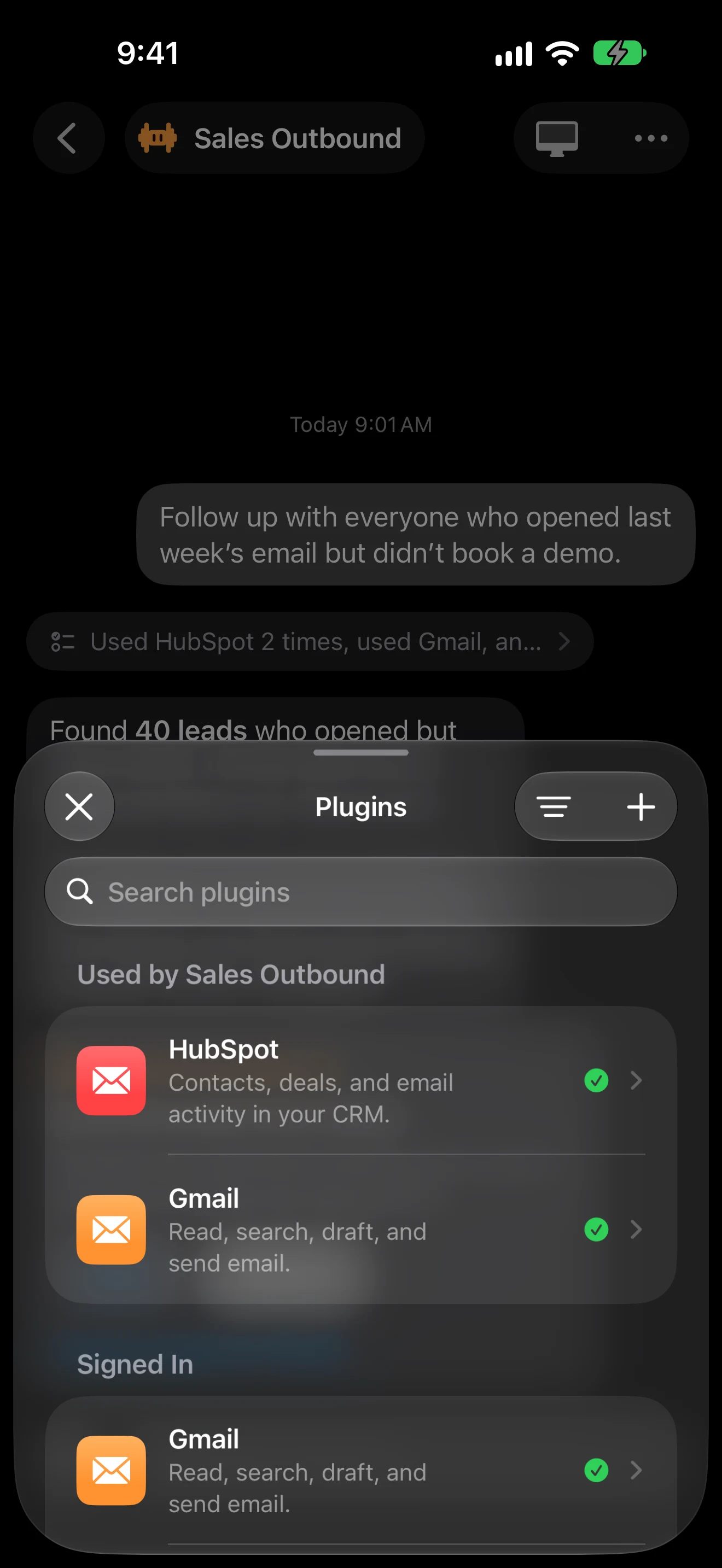
Connect the tools it needs
Plugins connect a bot to email, calendar, CRM, docs, and more. You sign in once on each service's own page; the sign-in is encrypted on Stormi's server, and bots never see your passwords. Any tool with a remote MCP server can be added by its address.
- 04
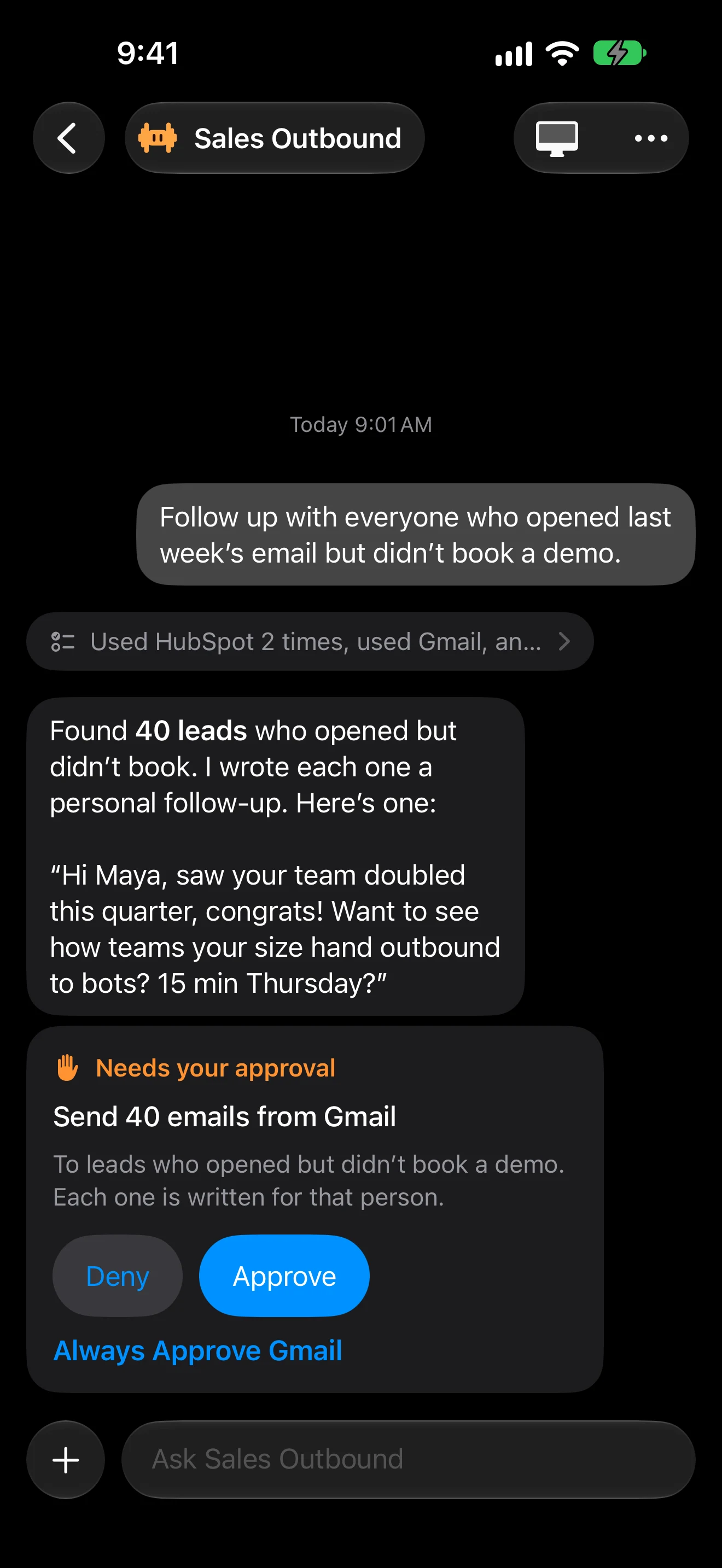
Let it work, and approve what matters
Bots run on Stormi's server, so they keep going when the app is closed. Before they send, pay, delete, or submit anything, they stop and ask. Approve once, or always approve a plugin you trust.
- 05
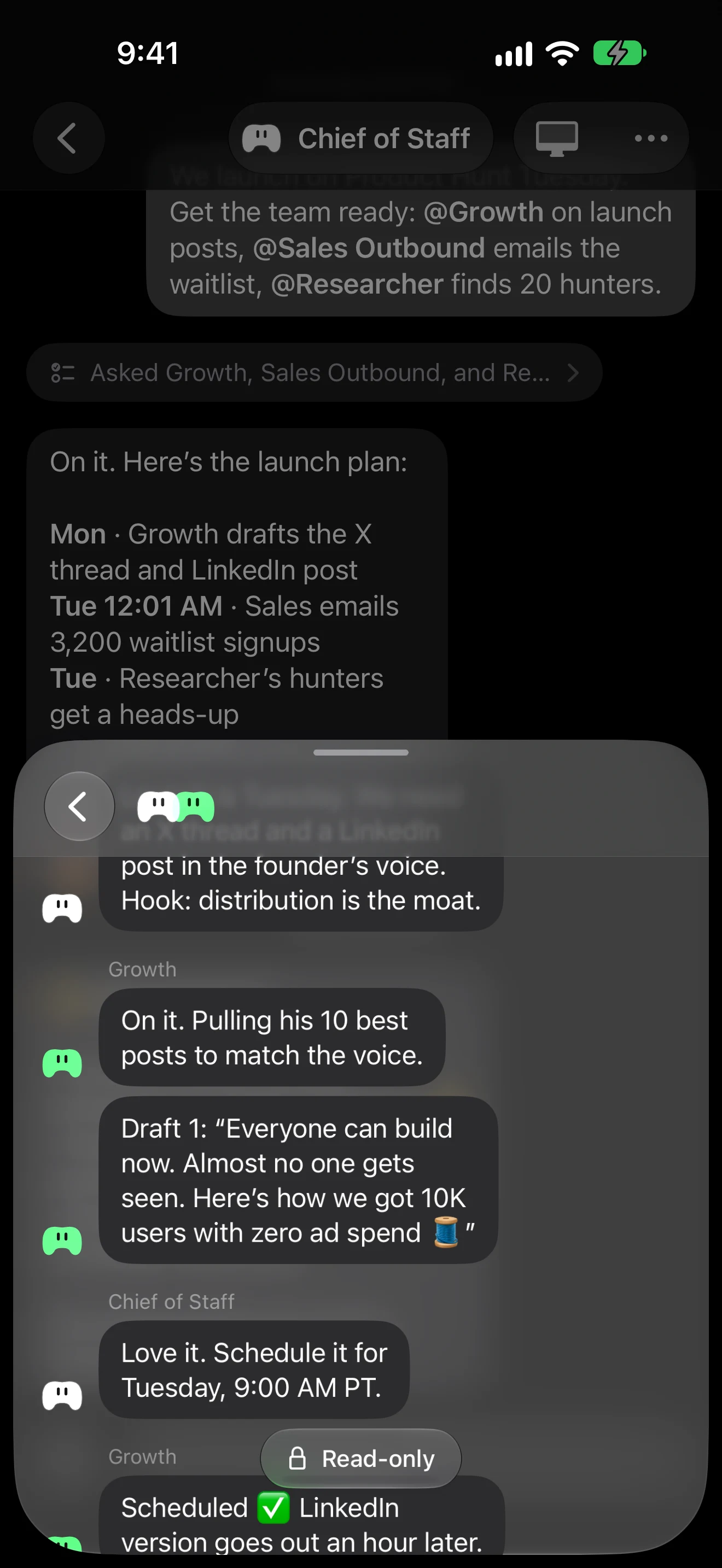
Let bots hand work to each other
Ask your Chief of Staff for something big and it splits the job, asks the right bots, and reports back. You can read every thread between them.
- 06
Keep it in view
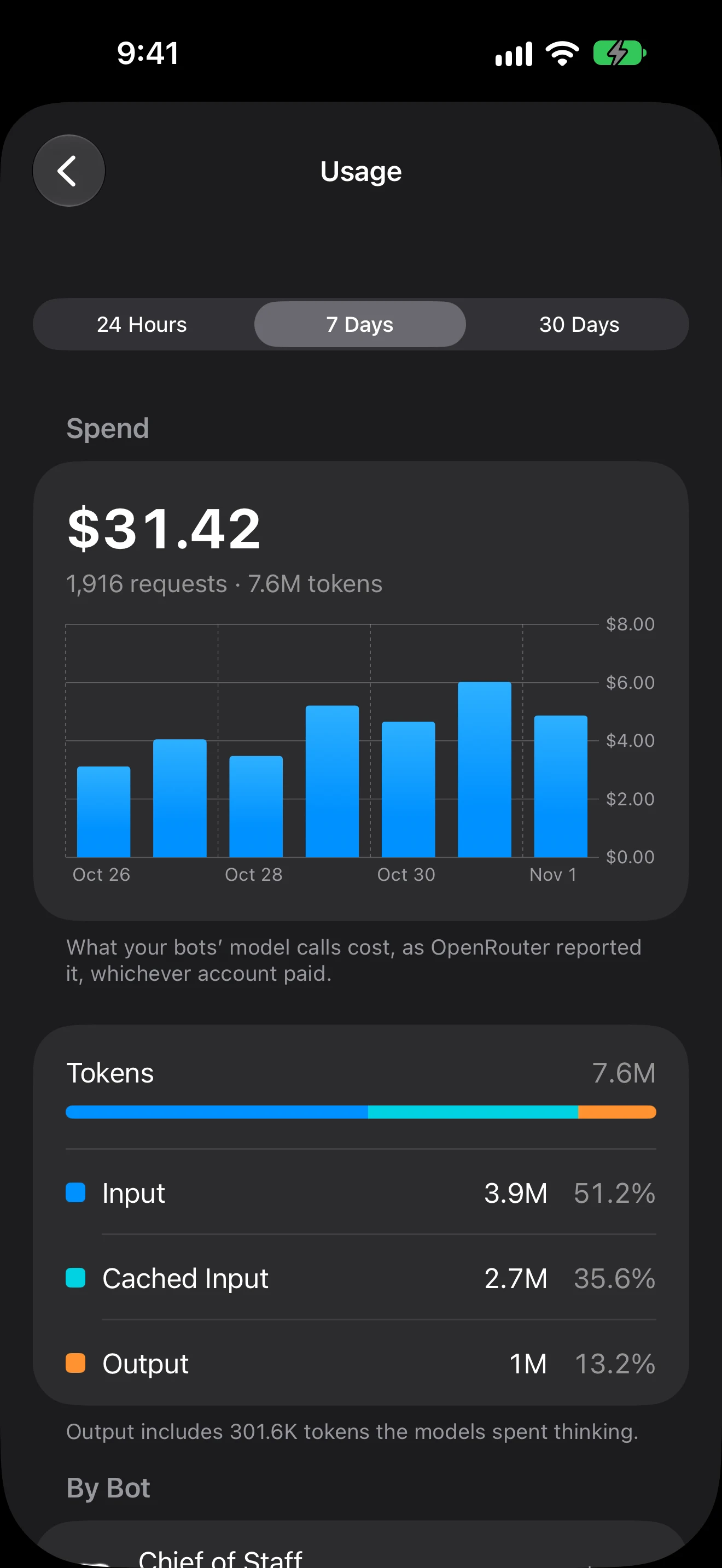
Routines run bots on a schedule. Widgets, Live Activities, and notifications show what each bot is doing and what needs you, and Settings › Usage shows what each bot spent.
Questions
What is a Stormi bot?
How is an AI agent different from a chatbot?
What happens when a bot needs approval?
Can a bot be tricked by what it reads?

Hire your first bot today
Stormi is free to download. Bots start on our model account, or connect your own OpenRouter account.
Download on the App Store